
Many teams start on Hubstaff and stay until something forces a review the bill after a hiring round, an add-on that turns out to be billed separately, or employees who quietly resent the monitoring.
This guide compares 10 Hubstaff alternatives on the four things that actually decide the switch: cost per seat, how much automation you get, how deep the reporting goes, and how the tool feels to the people being tracked. Each entry has pricing, ratings, pros and cons, and a clear statement of who it suits.
Full disclosure: Desklog is our product, and it's first on this list. We've included its limitations alongside everything else, and we've named the tools that beat it in specific situations.
- Quick picks
- What is Hubstaff?
- Why teams look for the Best Hubstaff alternatives in 2026
- Best Hubstaff alternatives compared
- The 10 Best Hubstaff alternatives, reviewed
- How to choose the right Hubstaff alternative
- Frequently asked questions
- Conclusion
Quick picks
| If you need… | Pick |
|---|---|
| Automation with project billing built in | Desklog |
| The simplest possible timer | Toggl Track |
| Agency work and client invoicing | Paymo |
| Time plus expense tracking | Harvest |
| A genuinely free tool for a big team | Clockify |
| AI tracking with no screenshots | Timely |
| Deep monitoring and compliance | Time Doctor |
| Productivity tools like Pomodoro | DeskTime |
| Low-cost remote monitoring | Apploye |
| Attendance and payroll-ready timesheets | Jibble |
What is Hubstaff?
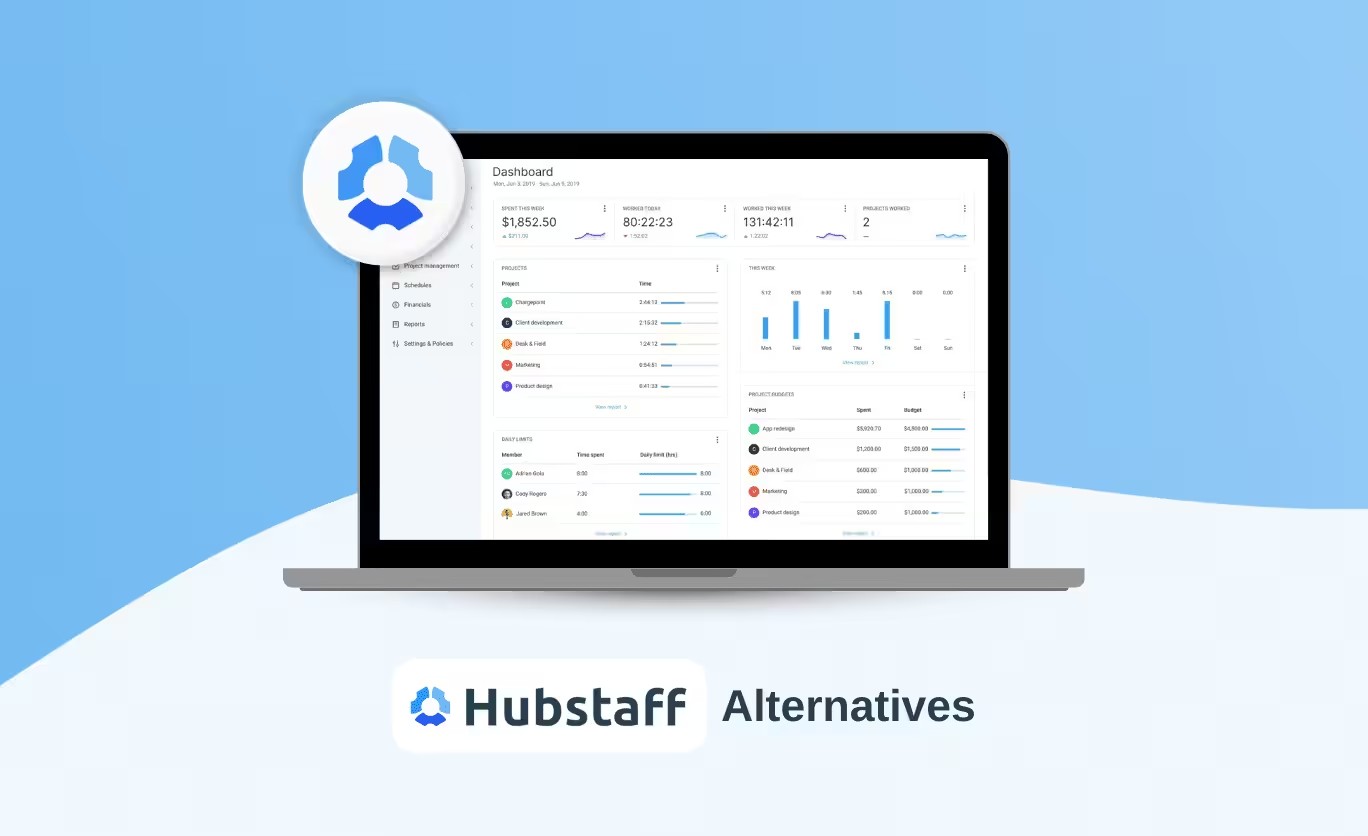
Hubstaff is a time tracking and workforce management platform launched in 2012. It combines automatic time tracking, activity monitoring and basic project management, and works across desktop, mobile and web.
Its core capabilities: automatic and manual time tracking against tasks and projects, app and website usage monitoring, task management via integrations, GPS and geofencing for field teams, payroll and payments, and productivity reporting.
Hubstaff pricing (annual billing): Free ($0, one user only) · Starter $4.99/user · Grow $7.50/user · Team $10/user · Enterprise $25/user. All paid plans have a two-seat minimum. GPS/Locations is a paid add-on except on Enterprise.
Why teams look for Hubstaff alternatives in 2026
The free plan is one person
Hubstaff's free tier covers a single user the owner with basic time tracking, timesheets, activity levels, limited screenshots and limited data retention. It's a solo tool, so you can't evaluate team features before you pay.
Costs stack in ways the pricing page doesn't lead with
The two-seat minimum means a solo user on a paid plan pays for two. GPS/Locations is billed as an add-on below Enterprise. Payroll, scheduling, attendance and unlimited integrations start at the Team tier $10 per seat annually, $12 monthly.
Monitoring can land badly with employees
Screenshot privacy controls exist, but activity monitoring still feels intrusive to a lot of people when it isn't clearly communicated. That perception affects trust and retention regardless of intent.
Integration friction
Hubstaff doesn't connect cleanly to every payroll and project platform, and integration count is tiered one on Grow, unlimited on Team. Teams running several tools hit this quickly.
What user reviews report
Recurring themes from GetApp and G2 reviews:
- Repetitive manual entry no reusable templates for minimum work hours, so the same data gets re-entered.
- Login-related crashes a frequent complaint, disruptive to daily workflow.
- Report download errors problems exporting or sharing time data.
- Mismatched hour views discrepancies between what employees and admins see, which turns into timesheet disputes.
Hubstaff alternatives compared
| # | Software | Best for | Key features | Price | Rating |
|---|---|---|---|---|---|
| 1 | Desklog | Desk-based teams needing billing + tracking | Automated tracking, project time tracking, timelines, billing & invoicing, P&L, leave management | Free · from $3.50/user/mo | G2 4.8 · Capterra 4.8 |
| 2 | Toggl Track | Freelancers and simple tracking | Mobile tracking, billable time, reporting, reminders, idle detection | Free · Starter $9/user/mo | G2 4.6 · Capterra 4.7 |
| 3 | Paymo | Agencies and client billing | Automatic tracking, invoicing, task management, cross-platform | Free (10 users) · Plus $15.90/user/mo | G2 4.5 · Capterra 4.7 |
| 4 | Harvest | Time and expense tracking | Time + expense tracking, project budgeting, integrations | Free · Pro $13.75/user/mo | G2 4.3 · Capterra 4.6 |
| 5 | Clockify | Free tracking at scale | Timesheets, project tracking, detailed reporting, apps | Free · Standard $5.49/seat/mo | G2 4.5 · Capterra 4.8 |
| 6 | Timely | AI tracking without surveillance | Automatic tracking, people dashboard, project management | Starter $11/user/mo | G2 3.8 · Capterra 4.7 |
| 7 | Time Doctor | Deep monitoring | GPS, screenshots, web/app insights, advanced reporting | Basic $6.67/user/mo | G2 4.4 · Capterra 4.5 |
| 8 | DeskTime | Productivity features | Screenshots, private time, Pomodoro, project management | Free (1 user) · Pro $7/user/mo | G2 4.5 · Capterra 4.6 |
| 9 | Apploye | Low-cost remote monitoring | Remote monitoring, inactivity alerts, Pomodoro, attendance | Standard from $2.50/user/mo | G2 4.8 · Capterra 4.6 |
| 10 | Jibble | Attendance and payroll | Attendance, mobile apps, payroll timesheets, facial recognition | Free · Premium $4.99/user/mo | G2 4.7 · Capterra 4.9 |
Pricing verified September 2026.
The 10 alternatives, reviewed
Desklog
Best For: Desk-based teams that bill by the hour.Desklog is an automated time tracking and workforce intelligence platform. It captures work activity in the background productive, non-productive, idle and offline time and turns it into timesheets, project estimates and invoices without manual entry. What separates it from most tools on this list is that project billing and profit & loss sit in the same product as the tracking, so hours, cost and revenue reconcile automatically. Screenshot capture is optional and consent-based.
- Visual User and Task Timelines show the shape of a working day, not just an activity percentage.
- Task management, invoicing and project P&L are built in rather than bolted on through integrations.
- Among the lowest per-seat costs on this list, with no seat minimum.
- No geofencing, so it isn't suited to field crews clocking in at job sites.
- A much smaller integration library than Hubstaff or Toggl Jira, ClickUp and Amazon S3 only.
For a detailed feature-by-feature breakdown, see our full Desklog vs Hubstaff comparison.
Looking for More Than Basic Time Tracking?
See how Desklog combines automated tracking, project billing and profit & loss reporting in one platform.
Get Started Now Compare Desklog vs HubstaffToggl Track
Best For: The simplest possible timer.Toggl Track is a lightweight tracker built for people who want to start a timer and get on with work. It's popular with freelancers and small teams that value speed of onboarding over oversight. Reporting is genuinely strong for billing and time analysis, and the mobile and desktop apps are among the most polished here. It deliberately doesn't do employee monitoring.
- Clean interface; users can start tracking within a minute of signup.
- Strong reporting for accurate billing and time analysis.
- Excellent apps across desktop, mobile and browser.
- No activity monitoring or productivity tracking.
- Not suitable for teams needing attendance or workforce oversight.
Paymo
Best For: Agencies and client billing.Paymo combines time tracking with task management and invoicing, aimed at agencies juggling multiple clients and billable projects. It supports the full workflow from project planning through to sending the invoice, with detailed reporting across the middle. The breadth is the trade-off: teams that only want a timer will find it heavier than they need.
- Integrated invoicing and billing streamline client payment workflows.
- Project-level tracking gives clear visibility into timelines and budgets.
- Works across desktop, mobile and web.
- Interface feels cluttered for teams that only need basic tracking.
- Setup and learning curve slow onboarding for small teams.
Harvest
Best For: Time and expense tracking.Harvest focuses on time and expense management rather than employee monitoring, which makes it a common pick for consultants and service businesses. It's strongest on budgeting, invoicing and financial reporting, and integrates well with project management tools already in place. There's no productivity analytics layer at all deliberately.
- Expense tracking and invoicing tightly integrated with time data.
- Simple interface with minimal training overhead.
- Strong integration support for existing workflows.
- No employee activity or productivity monitoring.
- Limited workforce management next to monitoring-based tools.
Need Automated Tracking Instead of Manual Timers?
Desklog captures productive, idle and offline time in the background and turns it straight into timesheets and invoices.
Start Free TrialClockify
Best For: Free tracking for larger teams.Clockify offers unlimited users and projects on its free plan, which makes it the most cost-effective option here for teams that mainly need transparent tracking without surveillance. Reporting and timesheets are reliable, setup is quick, and it's a common choice for startups watching cash. The trade-off is that manual timers remain the primary input method.
- Free plan supports unlimited users and projects.
- Fast setup teams can be tracking the same day.
- Detailed reports support transparency across the team.
- Relies heavily on manual timers rather than automatic capture.
- No automated productivity or activity tracking on the free tier.
Timely
Best For: AI tracking without screenshots.Timely uses AI to capture work automatically and assign it to projects afterwards, so there are no timers to start and no screenshots taken. That combination makes it unusually well-received by employees, and it suits knowledge workers and creative teams who react badly to conventional monitoring. Its dashboards are strong for planning and forecasting. Cost is the constraint at scale.
- AI-driven capture removes manual input almost entirely.
- Privacy-first design improves employee acceptance.
- Clean dashboards for planning and workload visibility.
- Among the most expensive options here, especially for larger teams.
- Limited monitoring controls for compliance-driven organisations.
Time Doctor
Best For: Deep monitoring.Time Doctor is built for organisations that genuinely require detailed oversight screenshots, GPS, web and app usage analytics, and comprehensive productivity reporting. It's widely used by BPOs and outsourced teams where accountability is contractual. It's the most surveillance-heavy tool on this list, which is either the reason to choose it or the reason not to.
- Deep visibility into employee activity across devices.
- GPS and screenshot tracking support distributed workforce oversight.
- Advanced reporting for analysing productivity patterns.
- Monitoring depth raises real employee privacy concerns.
- Heavy surveillance can damage morale and retention.
Also see our guide to Time Doctor alternatives.
DeskTime
Best For: Built-in productivity tools.DeskTime pairs time tracking with productivity features, most notably a built-in Pomodoro timer and a private time toggle that lets employees pause tracking. It monitors apps, websites and screenshots, and is straightforward to deploy across small and mid-sized teams. Project management is the thin part of the product.
- Pomodoro timer encourages focused work sessions.
- Private time feature supports work-life boundaries.
- Simple setup and fast team adoption.
- Project management features are basic.
- Limited scalability for large organisations.
Apploye
Best For: Low-cost remote monitoring.Apploye targets remote employee monitoring for distributed teams, with screenshots, inactivity alerts and attendance tracking at one of the lowest price points here. It's easy to deploy and suits startups managing remote workers on a tight budget. Reporting depth and integration coverage are both moderate.
- Screenshot-based monitoring supports accountability across time zones.
- Inactivity alerts surface productivity gaps quickly.
- Among the cheapest monitoring tools available.
- Limited third-party integrations.
- Reporting and analytics stay fairly basic.
Jibble
Best For: Attendance and payroll.Jibble concentrates on attendance tracking and payroll-ready timesheets, with facial recognition for clock-in verification and mobile apps built for field and shift staff. It's the strongest option here for shift-based operations where the question is who showed up and when, rather than what they did on a computer. Project tracking is limited by design.
- Facial recognition gives verifiable attendance records.
- Mobile apps built for field and shift-based staff.
- Payroll-ready timesheets reduce admin work.
- Limited project and task management.
- Not suited to agencies or client-billing workflows.
How to choose the Best Hubstaff alternatives
Work through four questions in order:
Where does your team work?
At desks Desklog, Toggl, Timely, Clockify. In the field Jibble, Time Doctor, or stay on Hubstaff for geofencing.
Do you need monitoring, or just time data?
Monitoring: Time Doctor, Apploye, DeskTime, Desklog. Time data only: Toggl, Harvest, Clockify, Timely.
Does billing need to connect to tracked time?
If you invoice clients hourly: Desklog, Paymo, Harvest. If not, you can pick on tracking quality alone.
What does it cost at your headcount in two years?
Multiply per-seat cost by projected headcount, then add the add-ons. This is where most switching decisions actually get made and where per-seat pricing models diverge sharply from each other.
Ready to Replace Hubstaff?
Desklog brings automated tracking, project billing and profit & loss together, with optional consent-based screenshots and no seat minimum.
Get Started NowConclusion
Hubstaff is a capable platform, particularly for field teams needing GPS and businesses running payroll through their tracker. It isn't the right fit for every organisation and the reasons are usually cost at scale, a free plan that can't be used as a team, and monitoring that lands badly with employees.
Work backwards from your own constraints: where the team works, whether you need monitoring or just time data, whether billing connects to tracked hours, and what the per-seat cost looks like at the headcount you expect in two years. The right tool falls out of those four answers.